Polarize and diffuse light with Maven's new magnetized filter
Reviewing Maven's new Linear Polarizer and Show Glow diffusion combination filter for use in landscape photography.


Maven has introduced a new combination Linear Polarizer + "Show Glow" magnetized filter. This filter was initially offered through their "Wave 3" crowdfunding campaign, but is now available for purchase directly from the company. It is offered in diameters ranging from 52 to 112 mm, with pricing from $89 to $229 depending on size.
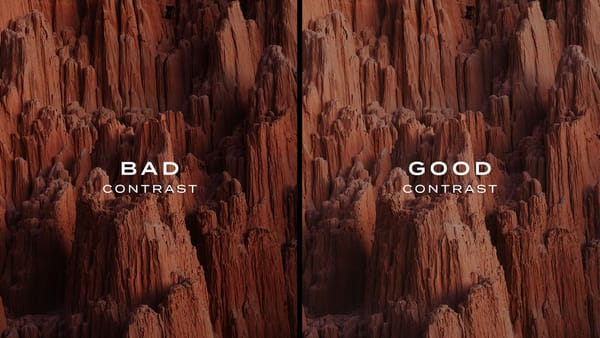
This filter is unique, for it polarizes light, increases clarity and removes reflections like a regular polarizer filter, while its "Show Glow" diffusion treatment blooms highlights, balances contrast, and decreases micro contrast. The result is an image with richer skies and denser highlights, plus a gentle glow that negates some of the inherent sharpness of modern, high resolution digital cameras.
For example, here's an image I recently took in Gold Butte National Monument in Nevada. Time of day was sunset, and I captured the scene with and without the filter. Both are straight-out-of-camera raw images without any edits or changes in post.
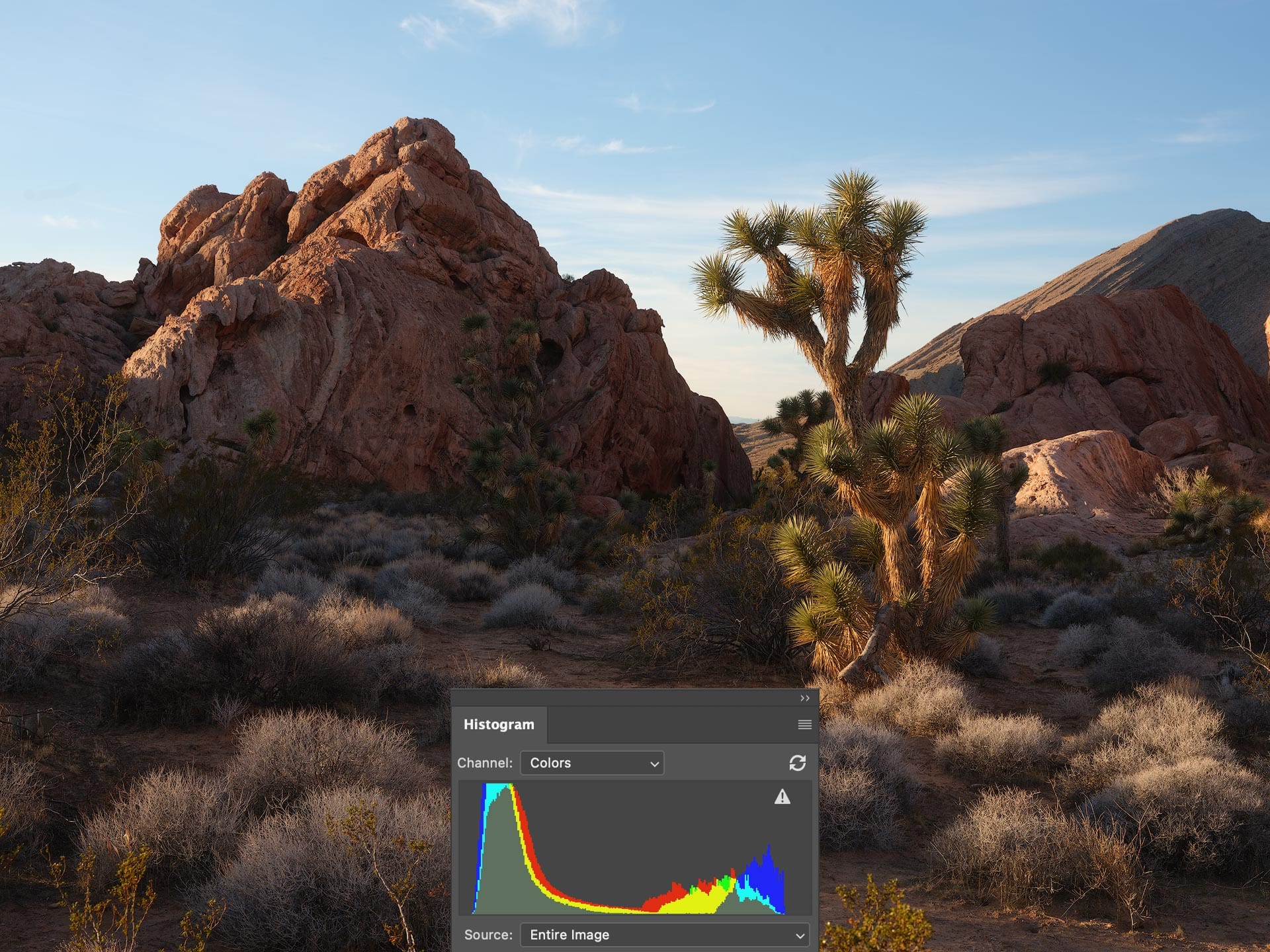
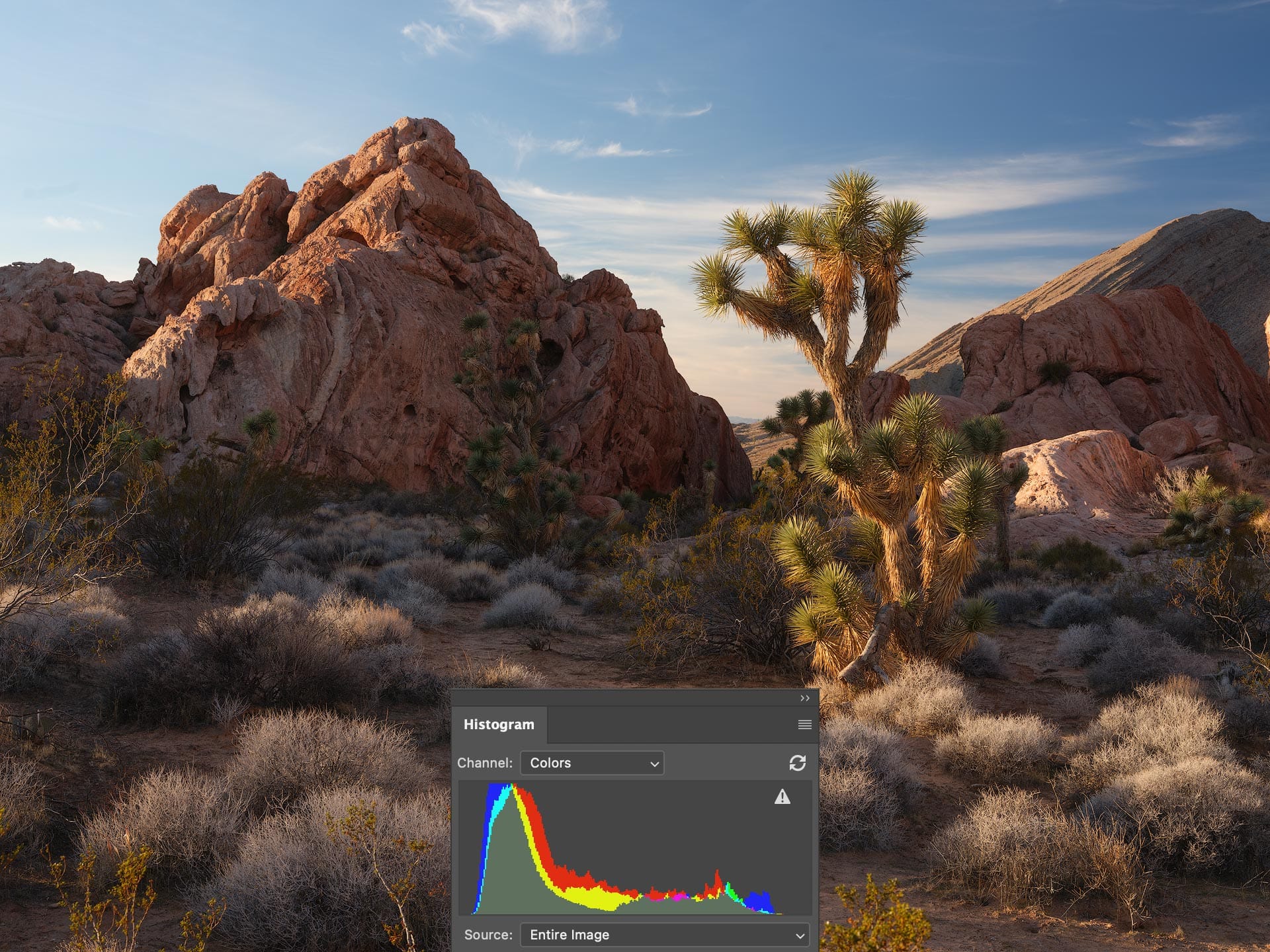
In the unfiltered image (left), the sky appears brighter, less saturated, and the foreground shadows are heavier. In the filtered image (right), the filter adds color and definition to the sky, moderates contrast, and reveals greater tonal detail in the shadows. This is visible in the histograms, with the filtered histogram showing increased shadow information and a smoother tonal transition from dark to light. As a result, the filtered image feels richer and more balanced.
While careful editing could bring the unfiltered image closer to the filtered result, it could never truly replicate it. Polarization affects the physical properties of light at capture and isn’t something that can be convincingly added later in software. You either polarize the light when an image is made, or you don’t.
Here's another raw test image from Valley of Fire State Park. Here we see similar behavior to the previous image, with better clarity and color in the sky, plus gentle equalization of exposure and contrast by filling the darker foreground with light. Again, both images are straight-out-of-camera without any edits.


When shooting directly toward the sun, the polarizer has little effect because the light is largely on-axis (polarization is strongest at roughly 90 degrees to the sun and weakest when facing or directly behind the camera). In these conditions, the filter’s diffusion treatment becomes more apparent, subtly blooming highlights and giving light a greater sense of presence.
For example, in the raw image below (also from Gold Butte), low-angle sunlight flared the top of the filter, creating a bloom effect. The filter accentuated and strengthened the flare by giving it volume and presence.

Diffusion strength is 1/4, which at the time of this review is the only option available for this filter. I’ve been told that Maven may consider offering additional strengths if there’s enough public interest, so it may be worth reaching out to them if you’d like other options. Personally, I find the 1/4 strength to be ideal, as it strikes a good balance and doesn’t feel too subtle or heavy-handed.
Difference between linear and circular polarizers
This Maven filter is a linear polarizer, which differs from a circular polarizer in that it doesn’t include the quarter-wave plate that makes circular polarizers compatible with all camera types (film, DSLR, mirrorless). Linear polarizers are only compatible with mirrorless digital cameras. This makes linear polarizers more "pure" and spectrally neutral, without the color cast and tinting that can sometimes occur with circular polarizers. Because I capture all my landscape images using a mirrorless Fujifilm GFX 100S II, a linear polarizer is perfectly fine with me.
Summary
Overall, I was pleasantly surprised by Maven's Linear Polarizer & Show Glow filter, for not only does it provide the benefits of polarized glass, but also gently lowers contrast, blooms light, and takes some of the digital edge off an image. I can definitely see myself using this filter much more in the future.
Note that this filter does require a Maven magnetized adapter ring or step-up ring to be mounted to the front of a lens. If you plan to use this filter with multiple lenses, I recommend buying an adapter ring and filter that matches your largest lens diameter (e.g., 82mm), then step-up rings for smaller diameter lenses. This does obviously increase the overall cost of the filter, but it's certainly cheaper than buying multiple filters with different dimensions.
To learn more about this filter and check it's current price, click the button below. Note that unless you already own one, you will also need a Maven magnetized adapter or step-up ring to mount the filter to a lens. As for filter size, I always recommend buying the largest diameter you need for your lens collection (eg, 82mm) then acquiring Maven magnetized step-up rings to use the same filter with smaller diameter lenses.
Video
Check out the video version of this review here: