Real Fujifilm film colors: Color Precision profiles for Lightroom
Color Precision's new Fujifilm film emulation profiles for Lightroom promise accurate recreations of eleven classic stocks, from Velvia 50 to Pro 400H. The profiles were built from real film captures at multiple exposures. I tested them against Adobe's defaults to see how they hold up.

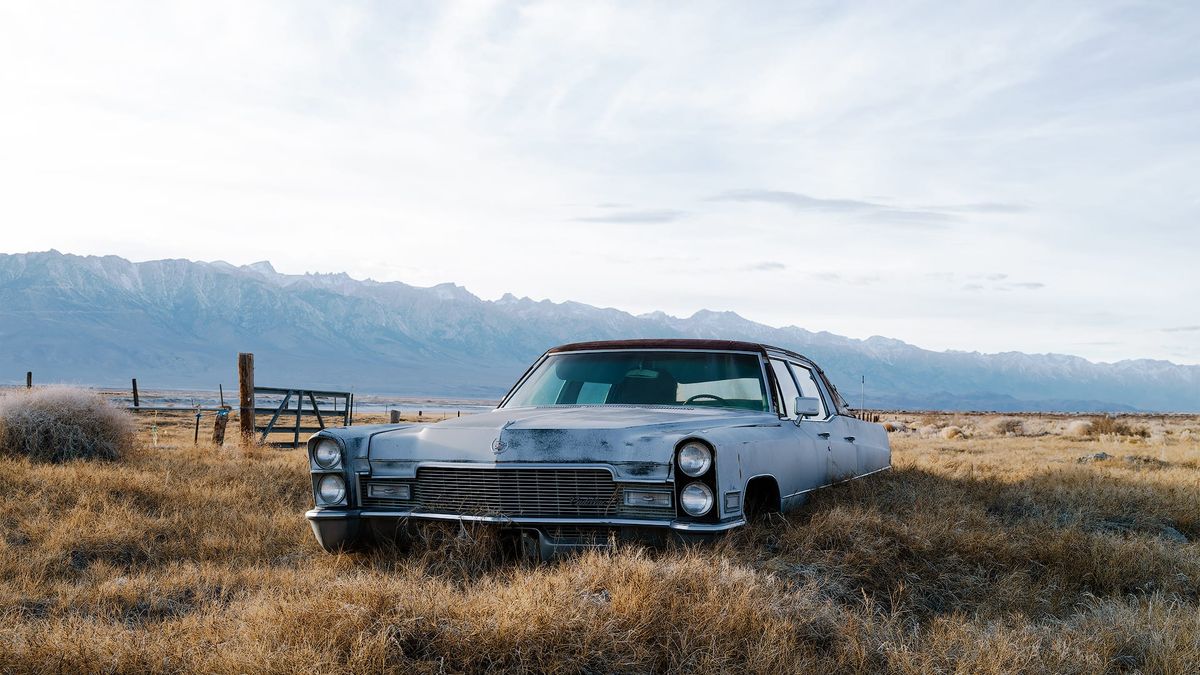
Color Precision has introduced a new collection of Fujifilm film emulation profiles for Adobe Lightroom, Lightroom Classic and Camera Raw (Capture One versions are forthcoming, according to the company). Retailing for $89, the collection includes 96 profiles emulating eleven Fujifilm film stocks:
- C200
- Fuji 200 & 400
- Natura 1600
- NHG II 800
- Pro 160S & 400H
- Provia 100F
- NPS 160
- Superia 400
- Velvia 50
To create these emulations, Color Precision acquired new or well-preserved expired boxes of film, then photographed color charts indoors and out. Images were captured at properly metered exposures, along with intentionally under and overexposed versions to capture the unique hue and tonal shifts that occur in these scenarios. The Pro 400H emulations also include "pushed" versions, emulating the appearance of the film underexposed one stop in camera, then pushed one stop in development.
All film was developed and scanned on Noritsu and Frontier scanners, both industry-standard commercial machines common in professional labs, each with subtly different color and tonal characteristics.
From there, Color Precision captured matching raw control images using a range of modern digital camera bodies, including Fuji, Canon (DSLR and Mirrorless), Sony, Nikon (DSLR and Mirrorless), Lumix, Leica, Ricoh, and iPhone (Raw and ProRaw). Using 3D LUT Creator and Lattice, they built profiles that bridge the gap between the film and digital control images by adjusting hue, saturation, and luminance to achieve the closest possible match for each camera brand.
The net result is raw digital files with the color characteristics of classic Fujifilm stocks, while still leaving plenty of room to adjust contrast, exposure, and other settings on an image by image basis.
The collection also includes "nonRAW" profiles, which are general-purpose emulations for use with JPGs or files from cameras not on the supported list. Additional presets are included for adding grain, lens blur, and expired film hue shifts, plus a Photoshop action to add halation (the optical effect where bright film highlights are surrounded by a soft reddish glow).
Example Fujifilm raw images
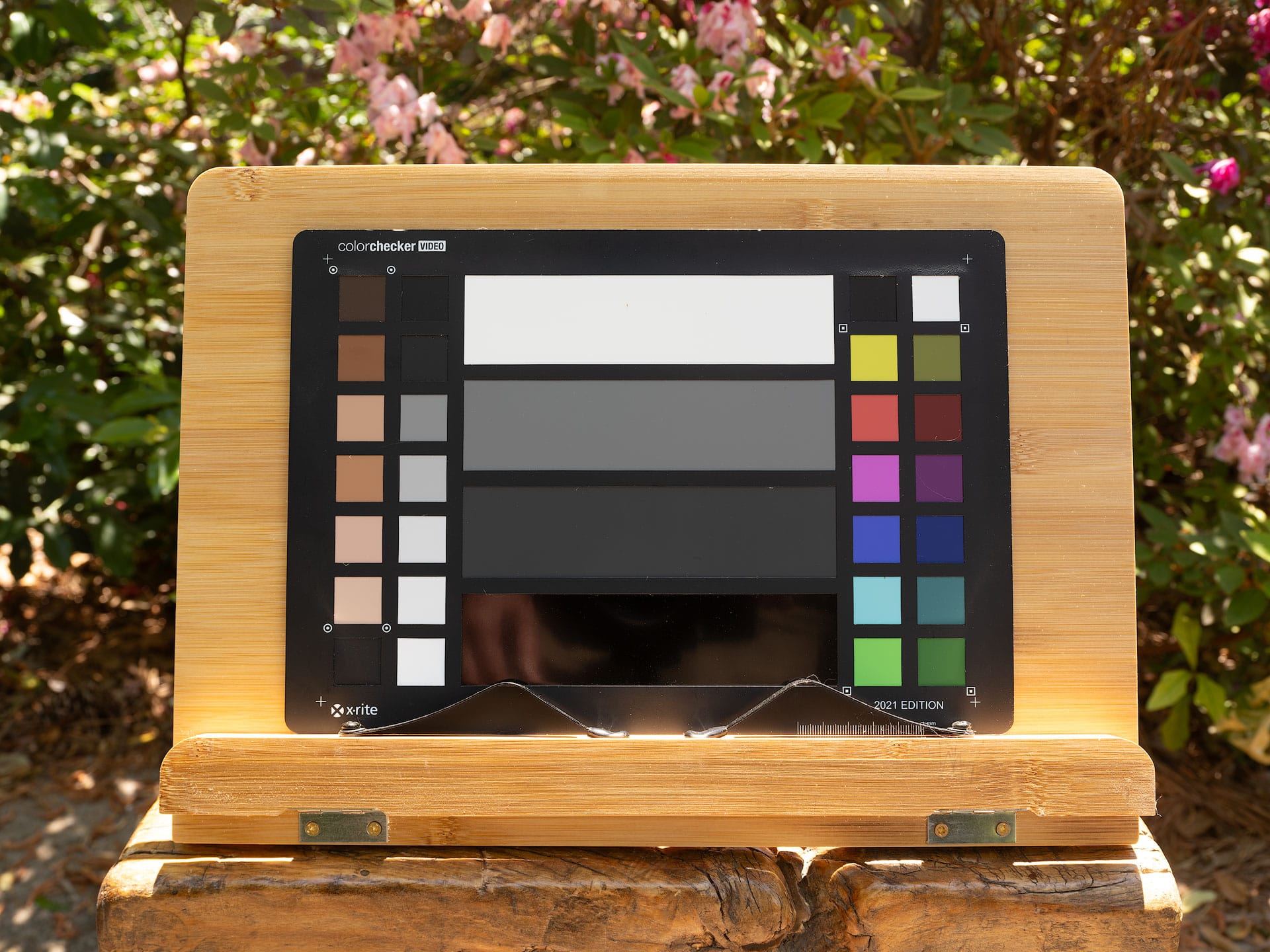
Below are before/after examples from raw files captured with a Fujifilm GFX 100S II. The only change made to each file was swapping the profile in Adobe Lightroom Classic. This first comparison shows Adobe Color, Lightroom's default profile, against Color Precision's Fuji Pro 160S Frontier profile. The Fuji Pro 160S profile is less vibrant and saturated, which is consistent with the character of color negative film. To my eyes, it reads more natural and less digital. I especially like how it pulls the excess yellow and red out of the wood grain and skin tone chips on the color checker card.
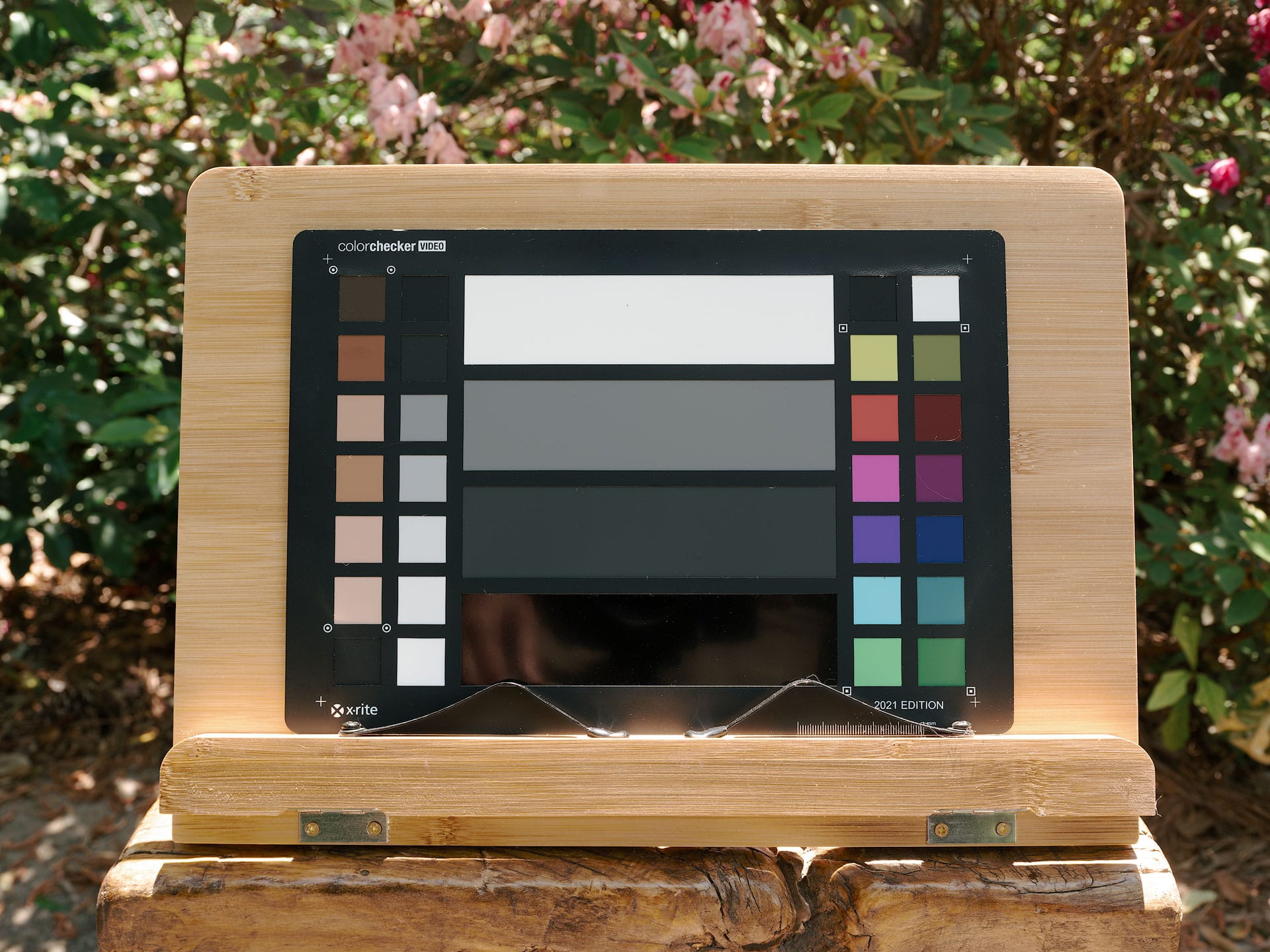
Here's another comparison, this time using the Fujifilm Velvia 50 Frontier profile. Velvia is a color positive film with strong color character. The look is similar to the Pro 160S profile but with higher chroma in specific hues, particularly red and blue, deeper blacks, and slightly more contrast. Again, the wood grain and skin tone chips look much nicer to my eyes using this profile compared to Adobe Color.
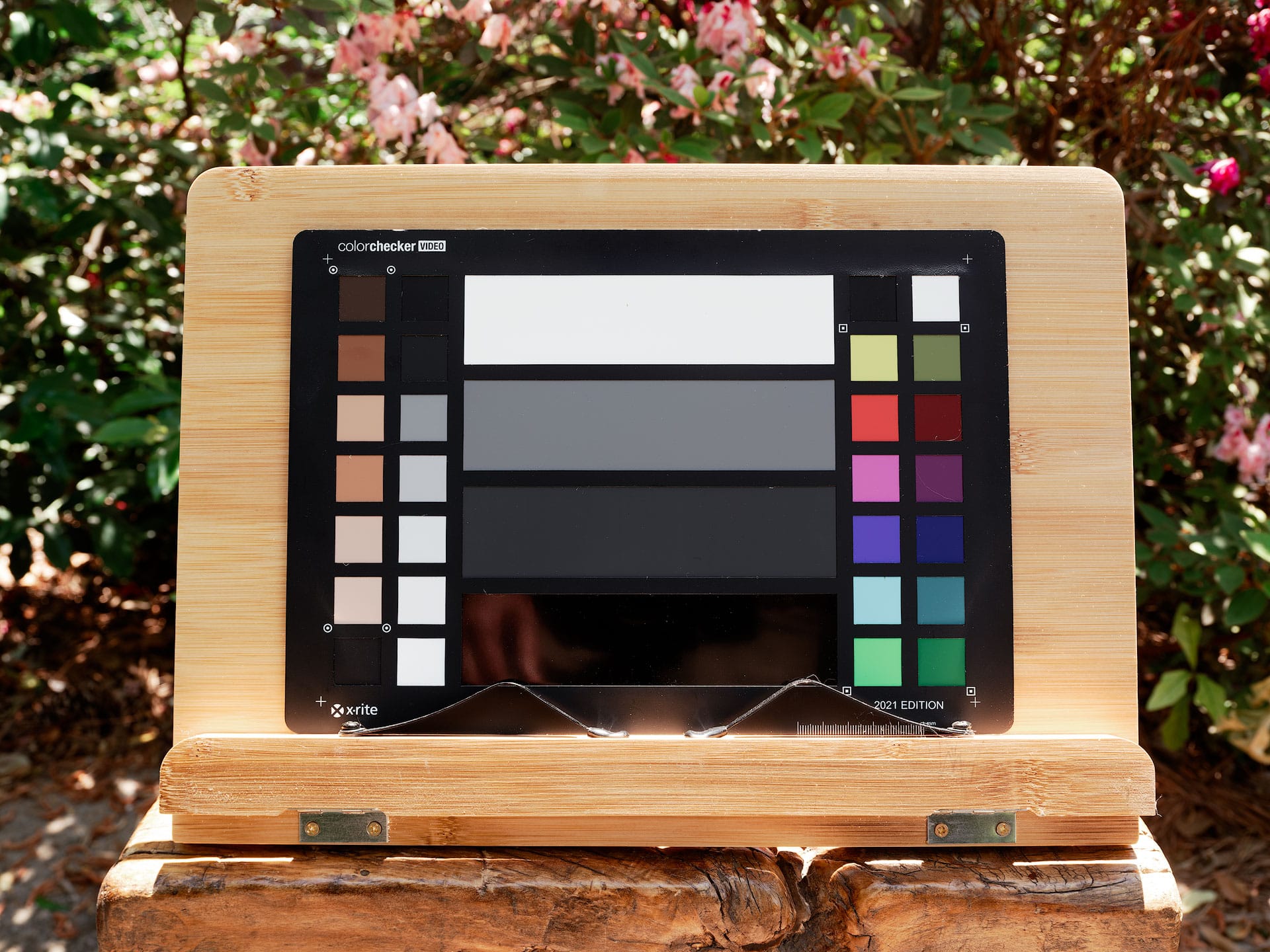
Provia is one of Fujifilm's most popular slide films and one of the few you can still buy today. Colors are punchier than color negative film but not as rich as Velvia. Fujifilm includes a Provia color mode in their digital cameras, so how does the camera matching Provia profile in Lightroom compare to Color Precision's version? The difference is significant. The camera matching Provia is better than Adobe Color but still looks digital and a bit muddy. Color Precision's Provia has crisper, more Fuji-like greens (look at the foliage behind the chart), cooler neutrals, and skin tones are again desaturated and soft. This would be a solid general-purpose profile if you want more color and punch than a color negative profile but not as much as Velvia.
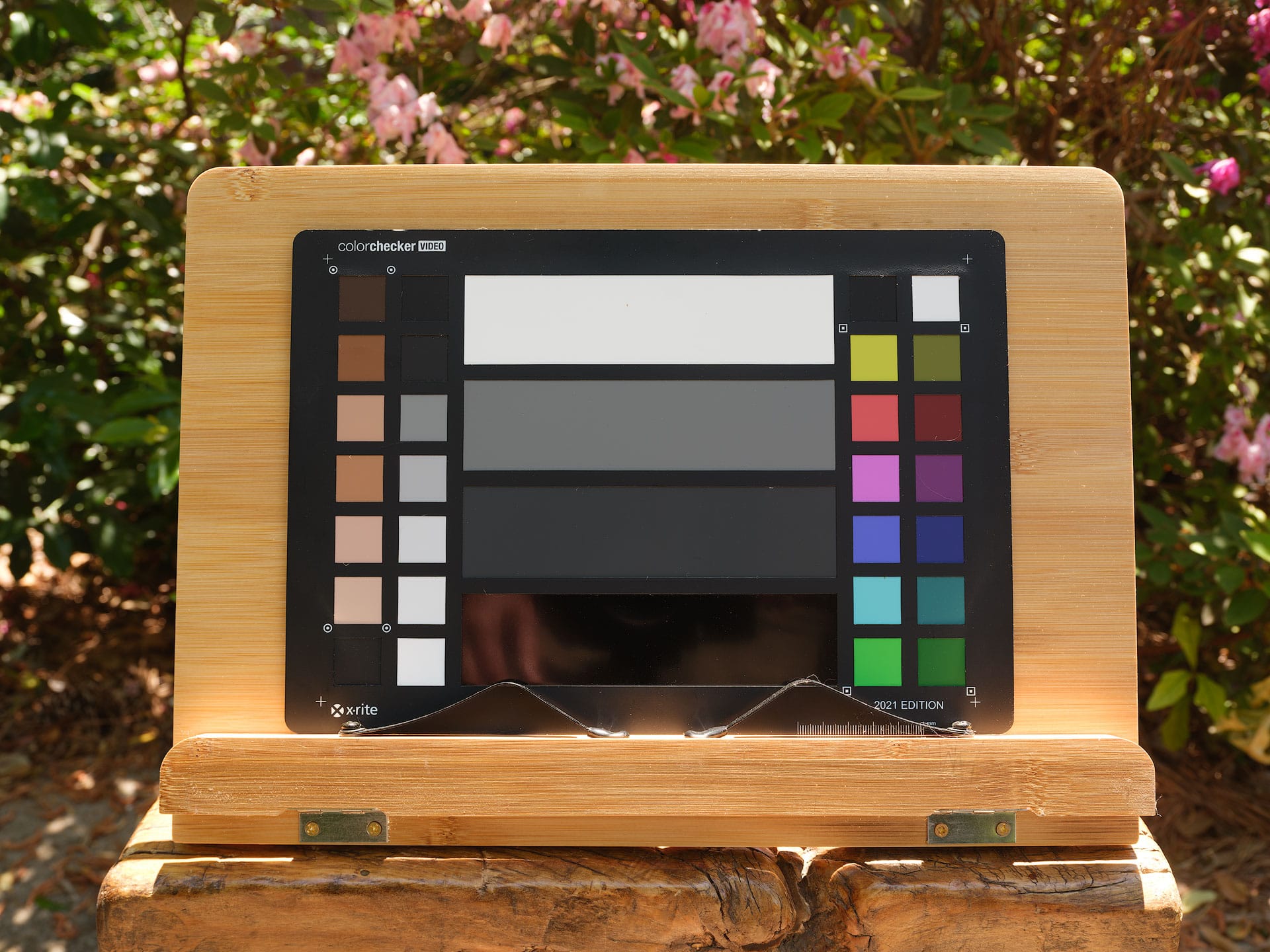
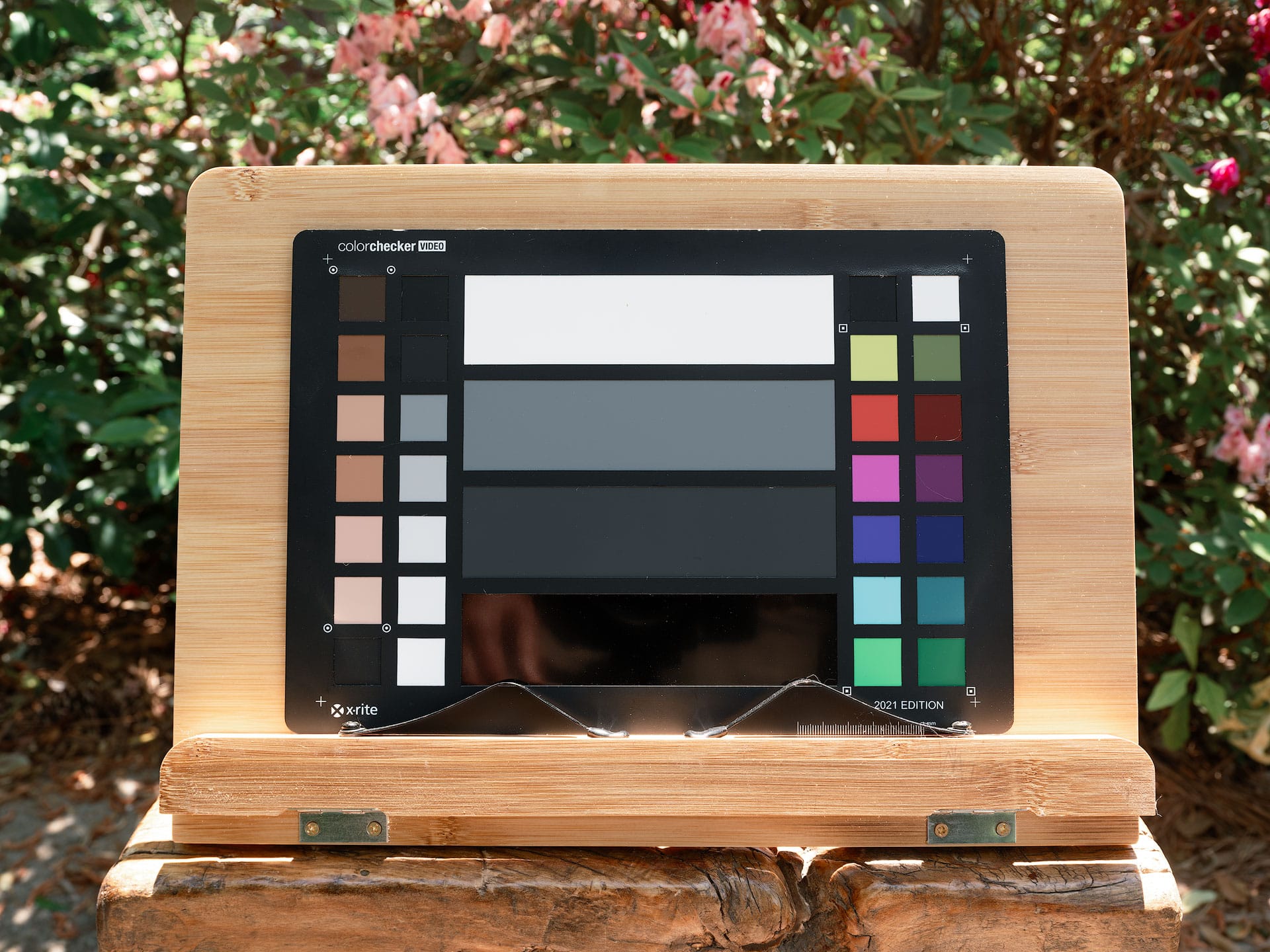
What I appreciate about these profiles is that they don't feel heavy-handed. They don't apply aggressive contrast curves or wild hue transformations, as you often get with third-party presets. Instead, the profiles subtly shift the hues and tonal values to match the character of a specific film stock. That restraint makes them a strong baseline for additional editing, with little need to dial back their strength, in my experience.
The subtle differences between the Noritsu and Frontier scan emulations are also worth exploring. Sometimes one works better than the other depending on the image. Neither is inherently superior, just different.
Comparing other camera models
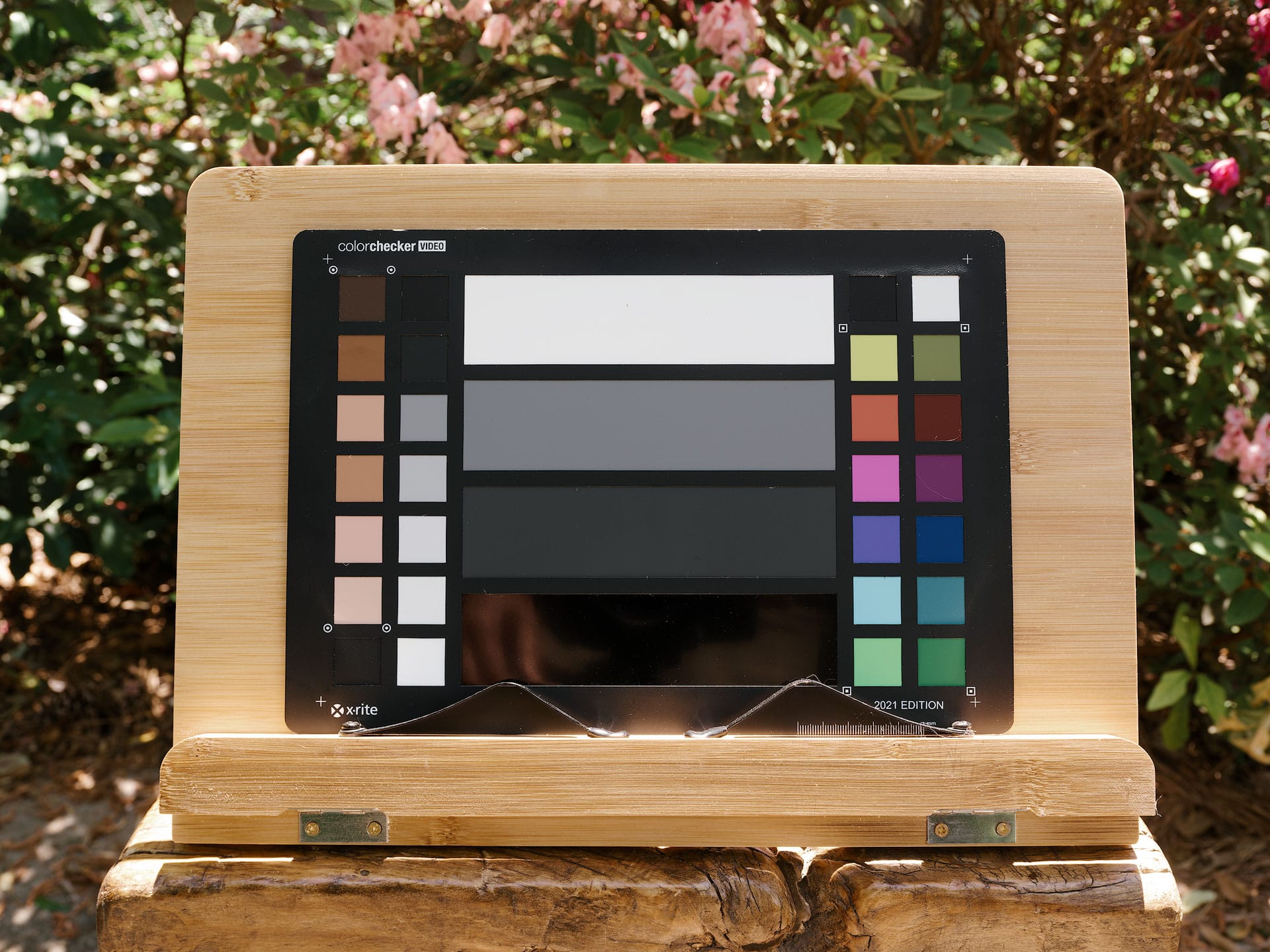
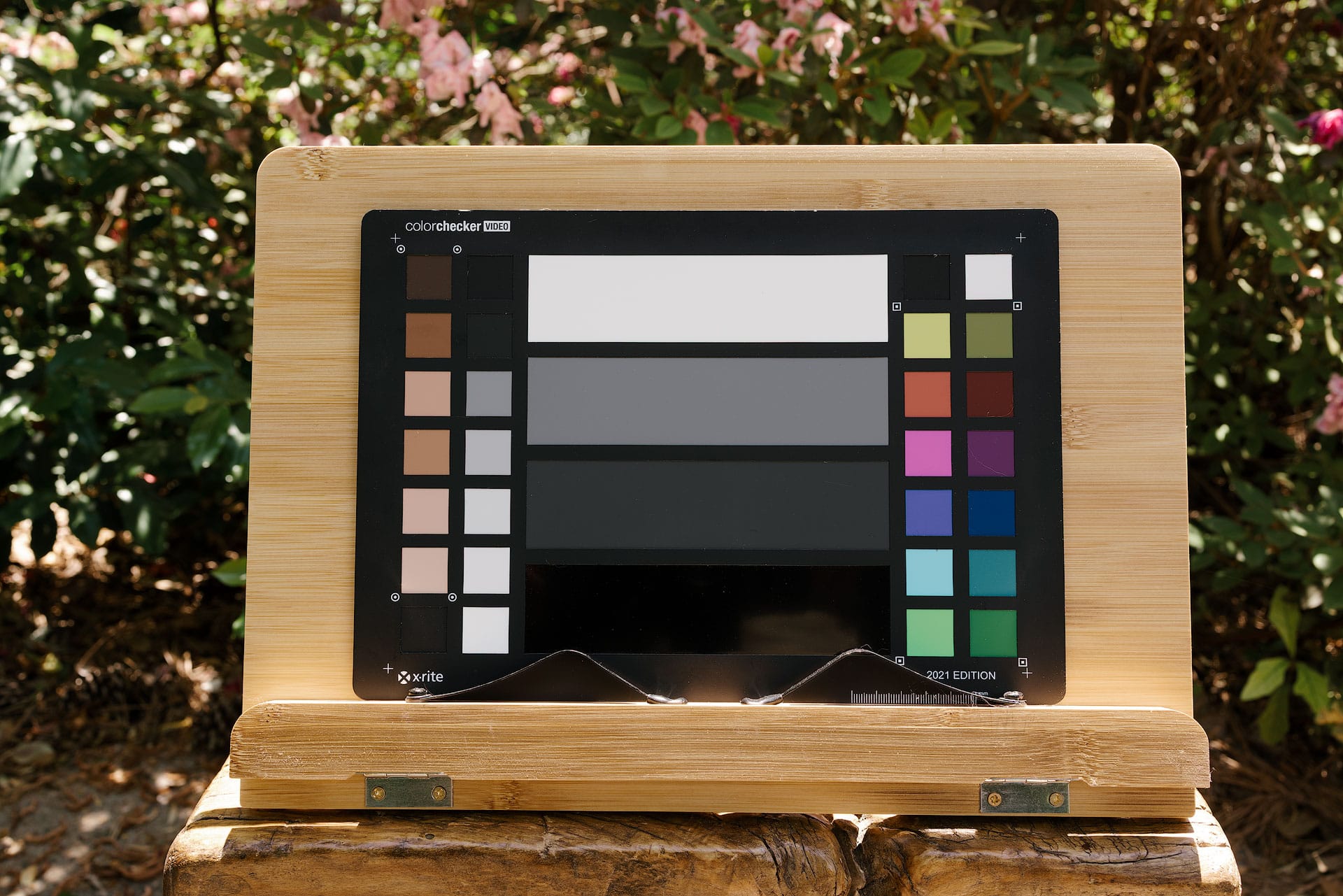
Editing raw files from multiple camera brands is a common challenge, particularly in event and wedding photography where several photographers are working together. Blending images from different cameras in a single collection takes time, especially when you need to reconcile subtle color differences between systems. Color Precision profiles are designed to translate raw files from a range of camera brands to the same film emulation targets, which makes them worth testing in a mixed-camera scenario. To test this, I captured the same control image with a Canon EOS R5 and assigned the Canon version of the Natura 1600 Frontier profile. Here's how that compares to a GFX 100S II raw file assigned the Fuji version of the same profile. As you can see, their hues and skin tones look practically the same.
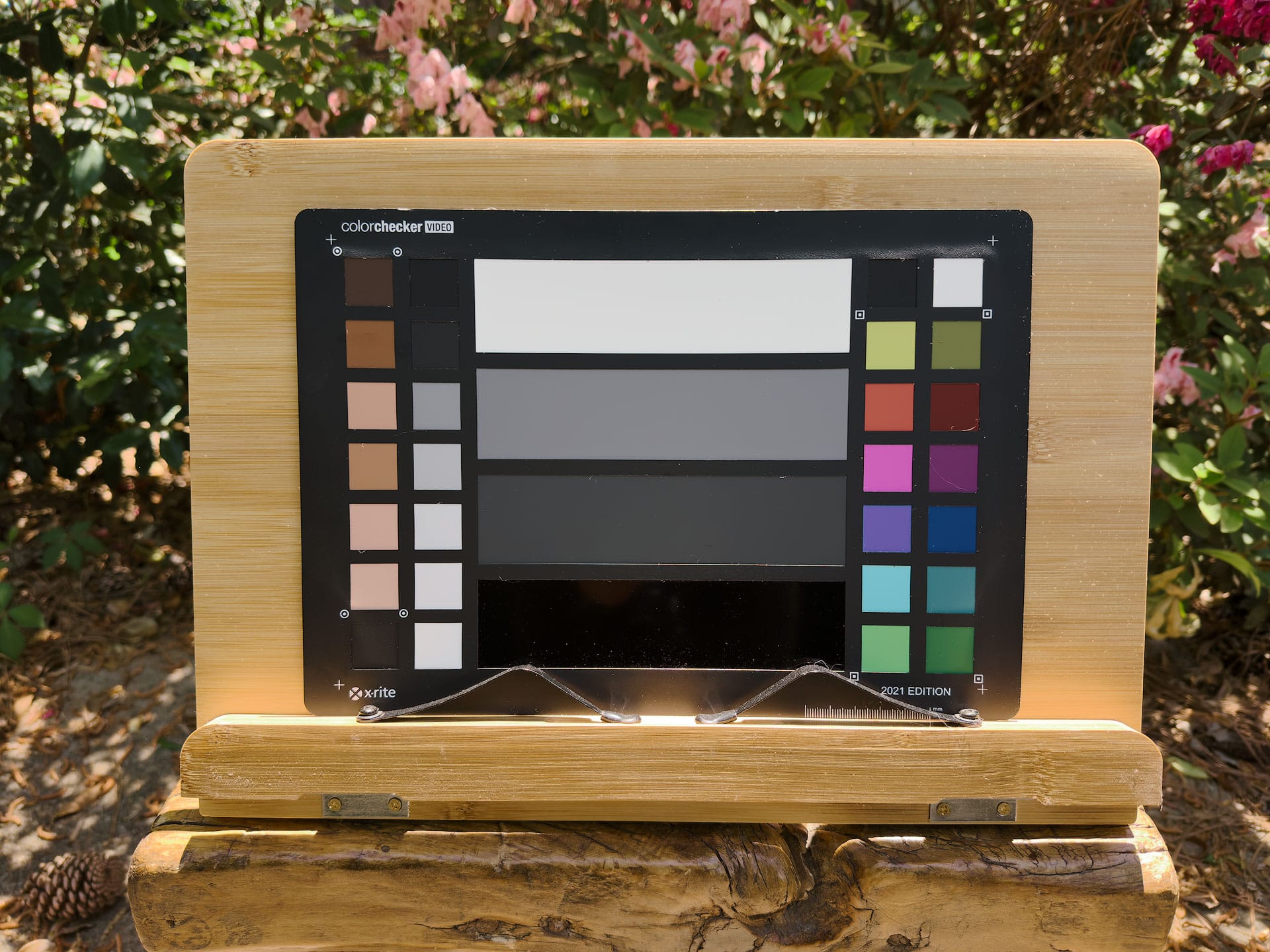
I also tried shooting the same chart with my iPhone 15 Pro Max using the Apple ProRaw image format, then assigned the appropriate Color Precision Natura profile. Here, the hues aren't quite matching as well as the R5 raw file, but for a smartphone image, I really can't complain.
Final thoughts
Overall, I'm impressed by the effort and time that went into creating these film emulation profiles. Film purists will point out, correctly, that there's no substitute for actual film. But in the case of Fujifilm, most of their best film stocks are no longer being manufactured. You can still buy Provia and Velvia, but on the color negative side, we only have Fujifilm 200 and 400, which are manufactured in the USA by Kodak and are widely understood to be Kodak Gold and UltraMax in Fujifilm packaging. If you want a true Fujifilm color negative look from your raw files, digital emulation is the only real option.
Emulating film digitally is like trying to hit a moving target. Film can be exposed, developed, and scanned in many different ways, which is why film emulations from different sources can and will look different. But based on what I'm seeing here, Color Precision has created profiles that are about as accurate as you're going to get. And speaking as someone who really likes the cooler, more pastel look of Fujifilm compared to Kodak, these profiles are certainly worth the money.
Speaking of Kodak, Color Precision also offers Kodak film emulation profiles covering Gold, Portra, UltraMax, and other classic stocks. A free trial including both the Kodak and Fujifilm collections is available on their website.